What Is a Virtual Tour? A Beginner’s Guide
What Is a Virtual Tour
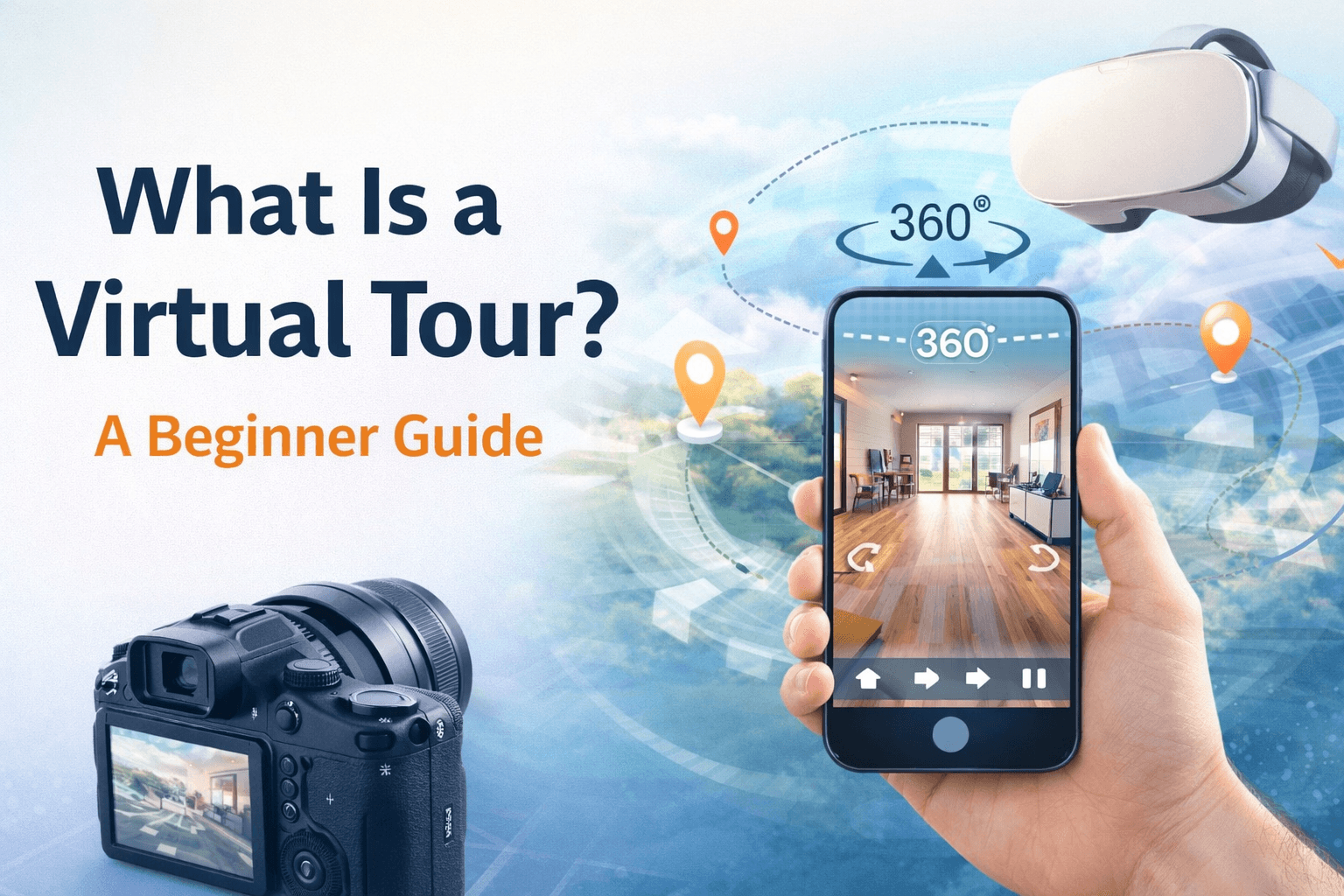
A virtual tour is a digital experience that lets someone explore a real place online. For real estate photographers, that usually means turning 360-degree images and related visual assets into an interactive walkthrough of a property. Unlike a standard photo gallery, a virtual tour gives viewers more control. Buyers, sellers, agents, and property managers can look around a space, move through rooms, and understand the layout before visiting in person. That makes virtual tours useful for real estate marketing because they help show the flow of a property, not just isolated views of each room.
How Virtual Tours Work
A virtual tour usually starts with capturing a real space. For real estate photographers, this often means photographing each room or key area with a 360-degree camera, then using virtual tour software to connect those scenes into a walkthrough. Once the images are connected, viewers can move from one area to another by clicking navigation points, often called hotspots. These hotspots might take someone from the living room to the kitchen, from a hallway into a bedroom, or from an exterior view into the entryway. Some virtual tours also include extra details, such as room labels, information cards, floor plans, narration, background audio, or links. These elements can help explain the space, but the core experience is simple: the viewer can look around and move through the property online.
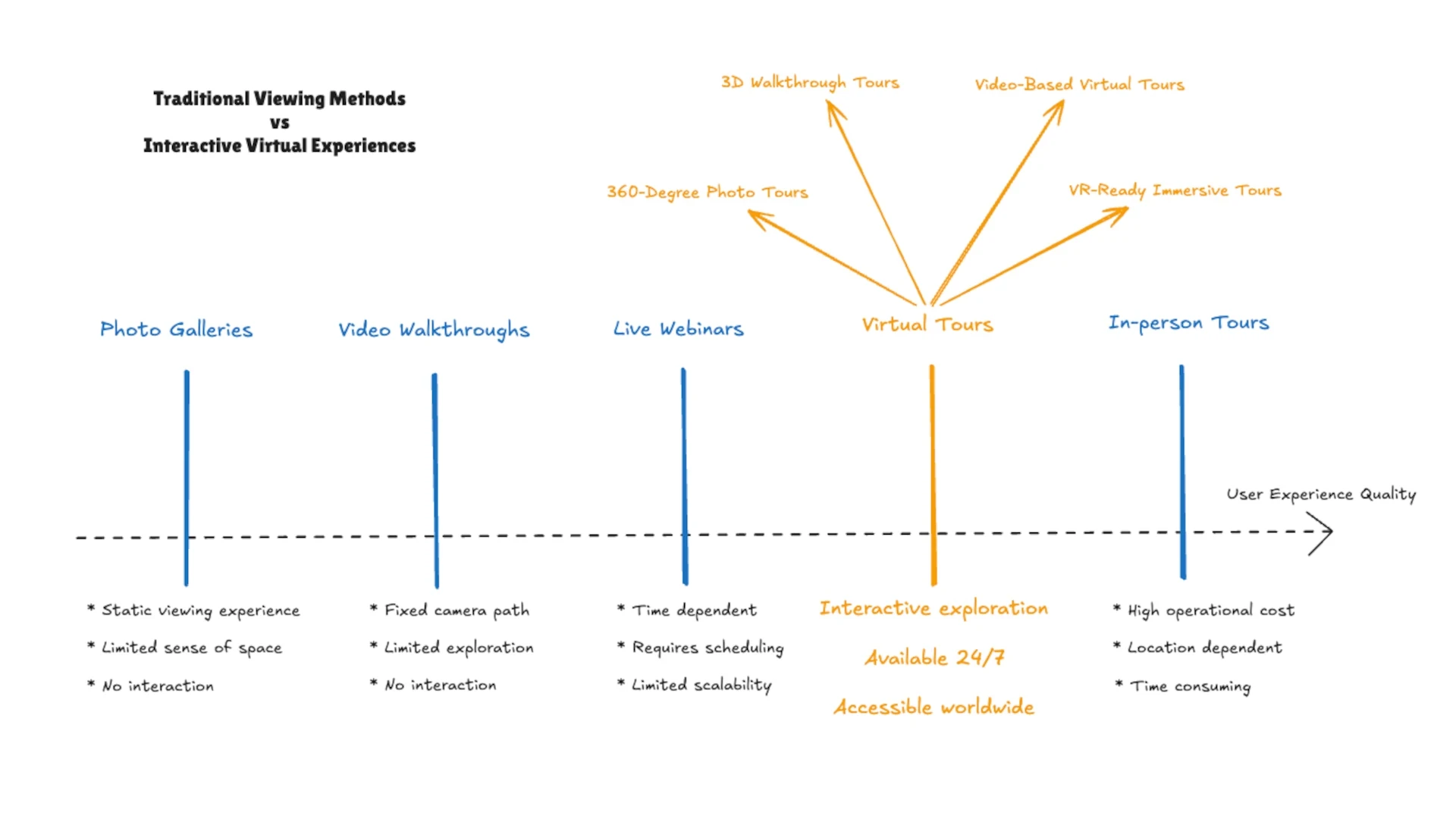
After the tour is built and exported, it needs to be hosted so people can view it in a browser. This is an important step for real estate photographers because the final tour needs to be easy for agents and clients to share, embed on a listing page, or send to buyers. Virtual Tour Host is being built for this hosting step, starting with support for finished exports from Pano2VR as an early workflow.
Advantages of Virtual Tours
1. Help Buyers Understand the Property Faster
Photos are still essential, but they usually show a property one frame at a time. A virtual tour helps buyers understand how rooms connect, how the layout flows, and what it feels like to move through the space. For real estate photographers, this adds value beyond a standard photo gallery. You are not just delivering individual images. You are helping agents give potential buyers a clearer sense of the property before they schedule a showing.
2. Support Remote and Out-of-Area Buyers
Virtual tours are especially useful when buyers cannot visit a property right away. This can include out-of-state buyers, international buyers, busy families, investors, or people comparing several listings from a distance. A well-hosted tour gives them a way to explore the property online and decide whether it is worth taking the next step.
3. Make Listings More Useful for Agents and Sellers
Agents often need marketing assets that are easy to share with buyers, sellers, and other stakeholders. A virtual tour can be added to listing pages, sent in follow-up emails, or shared during the sales process. For sellers, it can also help show that the property is being marketed with more than basic photos.
4. Give Viewers a Self-Paced Experience
A virtual tour lets viewers explore at their own pace. They can spend more time in the kitchen, look more closely at a living room, or move quickly through areas that matter less to them. This self-paced experience can make the property feel easier to evaluate before an in-person visit.
5. Make the Final Tour Easier to Share Online
After a virtual tour is created and exported, it still needs to be hosted somewhere so clients and buyers can view it online. For real estate photographers, simple hosting matters because the final deliverable should be easy to send, embed, and revisit later. This is where virtual tour hosting becomes part of the workflow: it turns the finished tour files into a shareable online experience.
Common Virtual Tour Use Cases
Virtual tours can be used in many industries, but they are especially useful when someone needs to understand a physical space before visiting it in person. For real estate photographers, this makes virtual tours a valuable add-on because they help agents, property managers, and sellers present spaces more clearly online.
a. Real Estate Listings
Real estate is one of the most common use cases for virtual tours. A virtual tour helps potential buyers explore a property online, understand the layout, and get a better sense of how rooms connect. For real estate photographers, this can turn a standard listing package into a more complete marketing asset. Instead of only delivering still photos, you can help agents give buyers a guided way to move through the home before scheduling a showing. Virtual tours can be especially helpful for buyers who are relocating, comparing multiple listings, or trying to narrow down which homes are worth seeing in person.
b. Apartments and Rental Properties
Virtual tours are also useful for apartments, rental homes, and short-term rental properties. Renters often want to understand the size, layout, and condition of a space before booking a viewing or applying. For property managers, a tour can reduce repetitive questions and make it easier to show the same unit or model layout to many people. For photographers, rental properties can be a practical place to offer virtual tours because listings often need to be updated, shared, and reused.
c. Commercial Spaces
Offices, retail spaces, restaurants, studios, warehouses, and event spaces can also benefit from virtual tours. A tour helps potential tenants, clients, or visitors understand the space before arranging an in-person visit. For real estate photographers who already work with commercial listings, virtual tours can help show layout, flow, entrances, amenities, and key details that may be harder to communicate with still photos alone.
d. Hotels, Venues, and Tourism
Hotels, vacation rentals, wedding venues, and tourism businesses use virtual tours to help people preview a place before they book. A tour can show rooms, common areas, outdoor spaces, amenities, and the overall feel of the location. This use case is not limited to real estate, but it can overlap with real estate photography skills. If you already know how to capture spaces clearly, hospitality and venue clients may be a natural extension.
e. Education and Museums
Schools, universities, museums, and cultural spaces can use virtual tours to make their locations more accessible online. Prospective students can explore a campus, while museum visitors can preview exhibits or experience a space remotely. For this beginner guide, these examples are useful because they show how flexible virtual tours can be. The core idea is the same: a virtual tour helps people explore a real place digitally before, or instead of, visiting in person.
Equipment for Creating a Virtual Tour
The equipment you need depends on the type of virtual tour you want to create. A simple tour may only require a 360-degree camera, a tripod, and virtual tour software. A more polished real estate tour may also involve lighting, image editing, floor plans, and a consistent shooting workflow.
1. 360-Degree Camera
A 360-degree camera is commonly used to capture each room or area of a property. Instead of taking one flat image, the camera captures the full space around it so viewers can look in different directions during the tour. For real estate photographers, the goal is not just to capture the room, but to capture it clearly enough that buyers can understand the layout, scale, and flow of the property.
2. Tripod or Monopod
A tripod or monopod helps keep the camera stable and positioned consistently throughout the tour. This matters because uneven camera height or shaky placement can make the final walkthrough feel less professional. In real estate, consistency is especially important. Keeping the camera at a similar height from room to room helps the viewer move through the property more naturally.
3. Lighting and Room Preparation
Good lighting can make a virtual tour easier to view and more useful for buyers. Before shooting, photographers often prepare the space by opening blinds, turning on lights, reducing clutter, and checking mirrors or reflective surfaces. The goal is to present the property clearly without making the tour feel misleading. A virtual tour should help viewers understand the real space, not hide important details.
4. Virtual Tour Software
After the space is captured, virtual tour software is used to connect the scenes into an interactive experience. This is where a photographer may add navigation points, room labels, floor plan links, or other helpful context. Pano2VR is the currently confirmed export workflow for Virtual Tour Host. Virtual Tour Host is being built to support finished exports from Pano2VR as an early workflow.
5. Hosting
Creating the tour is only part of the workflow. Once the tour is finished and exported, it needs to be hosted somewhere so clients, agents, and buyers can open it in a browser. For real estate photographers, hosting is what turns the finished tour into something practical: a shareable link, an embeddable listing asset, or a deliverable that clients can revisit later.
Conclusion
A virtual tour helps people explore a real space online before they visit in person. For real estate photographers, it can turn a property shoot into a more complete marketing asset by helping buyers understand the layout, flow, and feel of a listing. The basic workflow is simple: capture the space, build the tour in virtual tour software, export the finished tour, and host it somewhere online so clients can share it. That last step matters because agents and sellers usually do not just need files. They need a link they can send, embed, and use in their listing marketing.
Virtual Tour Host is currently under development to help with the hosting part of that workflow. It is being built to support finished exports from Pano2VR as an early workflow, so real estate photographers can eventually share completed tours without setting up their own server. If you create virtual tours for real estate and want a simpler way to host and share them, [join the waitlist](https://www.virtualtourhost.com/) for early access.